


If you forget your DDKT Dashboard password, you can reset it via the login page. The process requires access to your registered email to receive a one-time verification code (OTP), which is valid for 10 minutes.
Step 1: Start the Password Reset Process #
On the DDKT login page, click the “Forget your password” link below the login button.
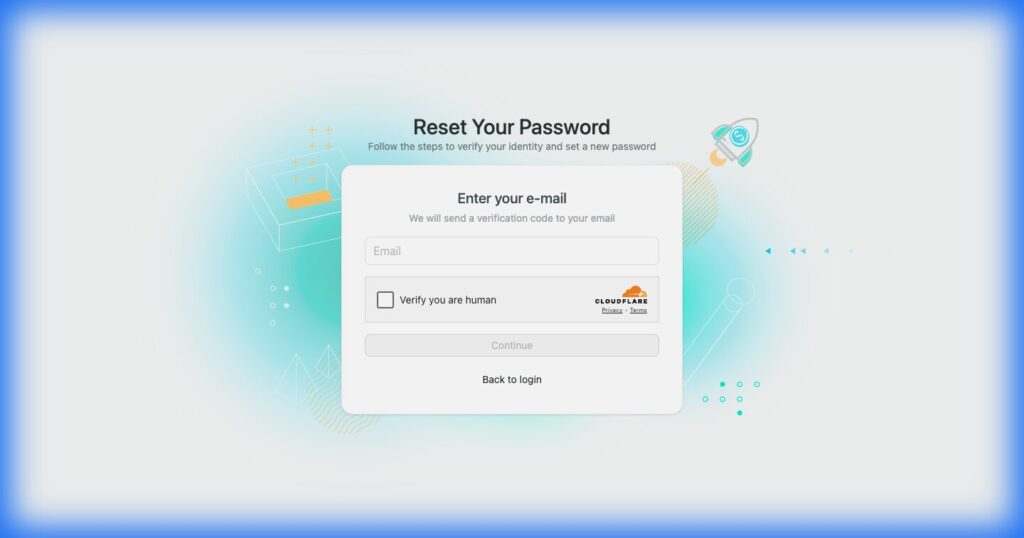
Step 2: Enter Your Registered Email #
Enter your registered email address. The system will send a one-time verification code (OTP) to your inbox.
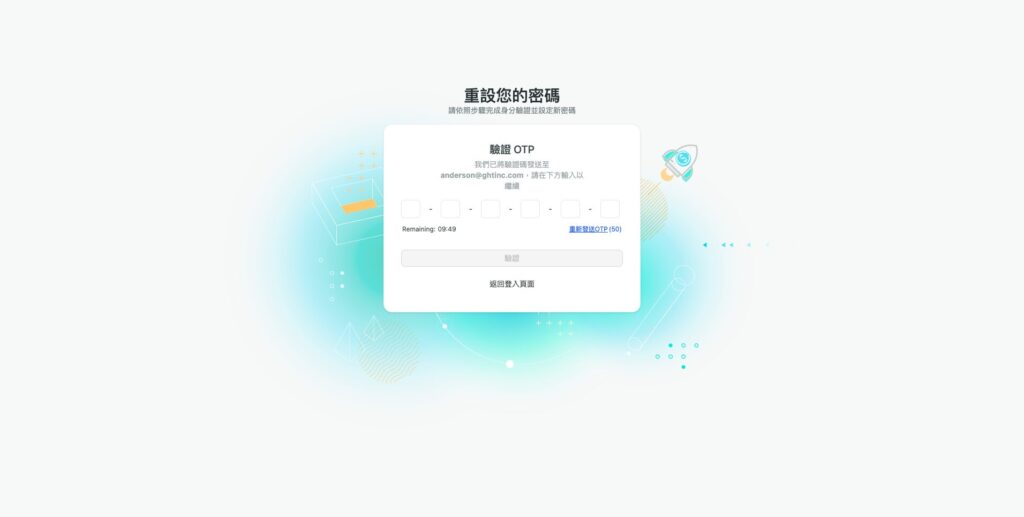
Step 3: Verify the OTP Code #
Enter the OTP code on the Verify OTP page. Note the following:
- The OTP is valid for 10 minutes
- The resend button has a 60-second cooldown
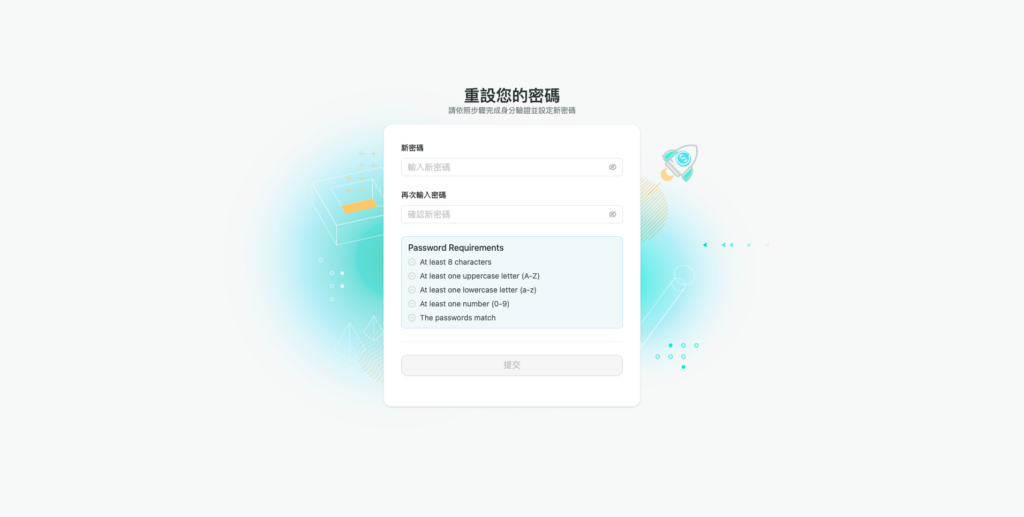
Step 4: Set a New Password #
Create a new password that meets the following requirements:
- At least 8 characters
- At least one uppercase letter
- At least one lowercase letter
- At least one number
Step 5: Log In with Your New Password #
After successfully resetting your password, return to the login page and sign in using your new credentials.


