


The DDKT AI Summary Report consolidates complex audience analysis data into a clear, strategic report with actionable recommendations. Each generation consumes one Credit and takes approximately 30 to 60 seconds to complete. The report can be downloaded as an editable PPTX file or shared via a shareable link.
Step 1: Open the Summary with AI Panel #
From any completed analysis report in History, click the “Summary with AI” button in the top right corner to open the AI summary panel.
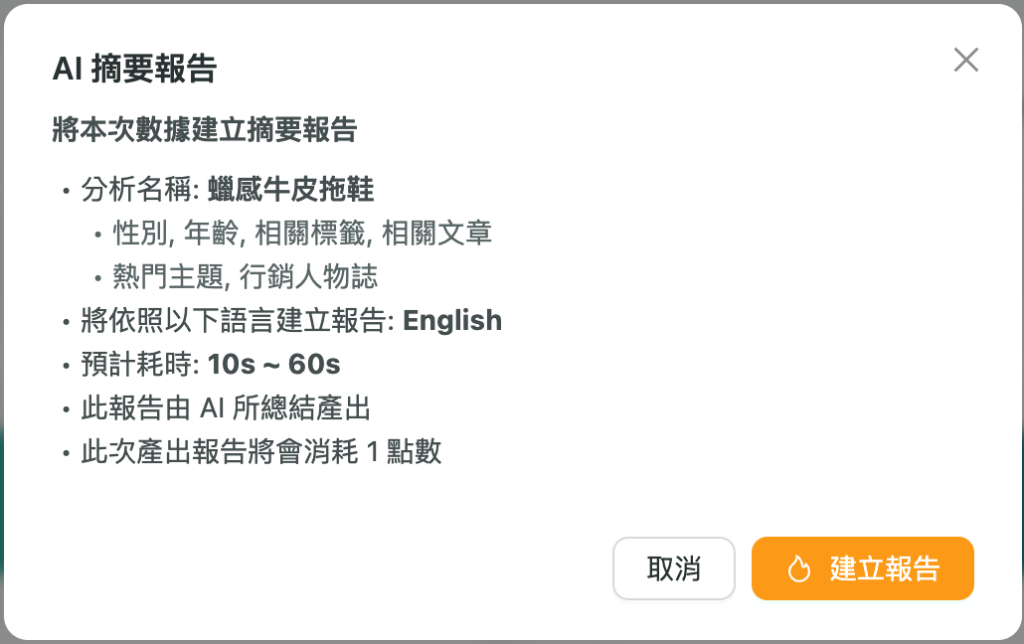
Step 2: Generate the Report #
Click “Create Report” and wait approximately 30 to 60 seconds for the AI to process and generate the summary. Each generation consumes one Credit.
Step 3: View the Summary Report #
Once generated, you will be prompted with two options:

Download and Share the Summary Report #
From the Summary Report page, you can:


